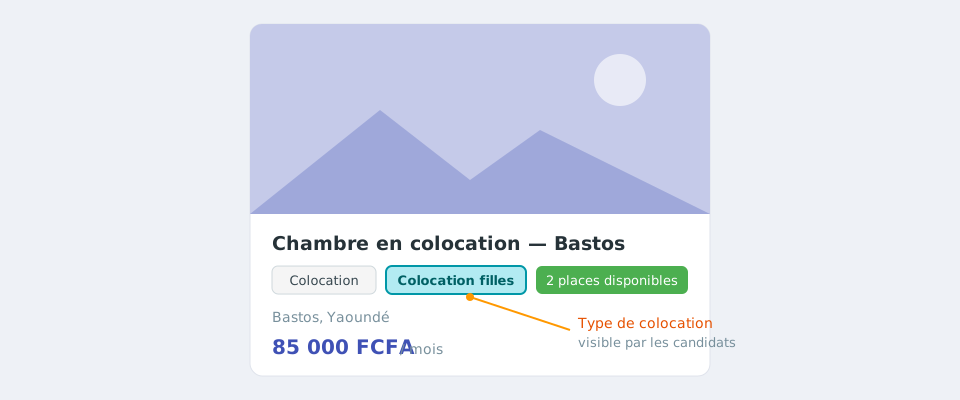
What is this setting for?
For a unit let as a flatshare or student flatshare, you can specify who the flatshare is for:
- Mixed flatshare: open to everyone;
- Girls-only flatshare: reserved for girls;
- Boys-only flatshare: reserved for boys.
Good to know
This setting only exists for flatshares. It does not appear for an unfurnished, furnished or holiday rental.
Choose the flatshare type when creating the unit
- Open your rental, then the Rentals > Units menu.
- Click Add a unit.
- In Rental: Type, choose Flatshare or Student flatshare.
- The Flatshare type field then appears: choose Mixed flatshare, Girls-only flatshare or Boys-only flatshare.
- Enter the number of contracts (one per flatmate), the rent and the charges, then confirm with Add a unit.

Change the type of an existing flatshare
- In Rentals > Units, click the name of the unit or the eye icon.
- In the block of the rental type (for example “Flatshare”), find the Flatshare type line.
- Choose the new value, then click Save.
Flatshares created before this feature
A flatshare that has never been configured is considered mixed. Remember to change it if it is reserved for girls or boys.
Where is this information shown?
- In the list of units in the console, in the description column of the unit;
- In the property search results, as a badge next to the lease type;
- On the property page, under its title;
- On the unit page of your client website, in the “Flatshare type” line.