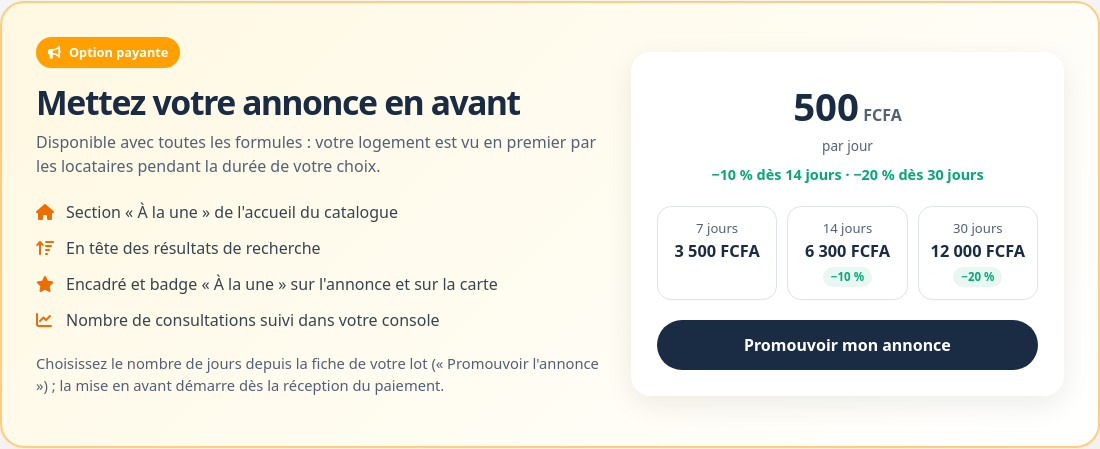
appears in the “Featured” section of the catalogue home page;
is shown at the top of search results, before other listings (promoted listings are shown in an order that changes on every visit);
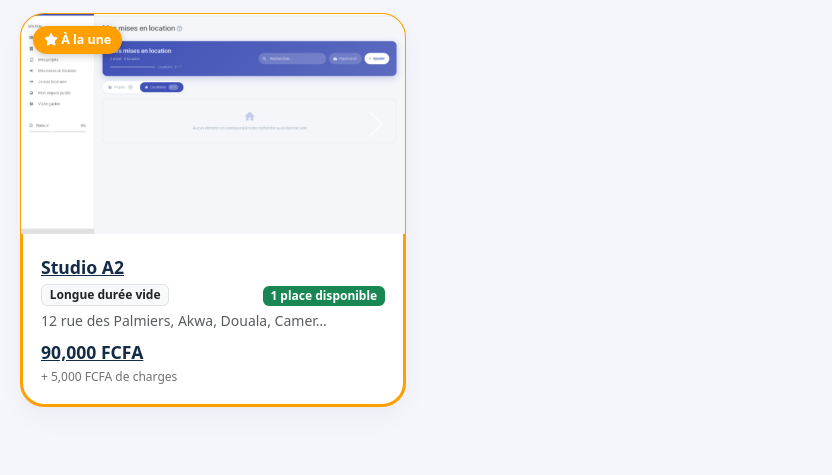
has a “Featured” frame and badge, on its card and on the map marker;
counts its views, shown in your console.
A promoted listing in search results.
Price
The promotion is paid per day, with a discount for longer durations. Current prices are shown on the pricing page and when you send your request.The promotion option on the pricing page.
Request a promotion
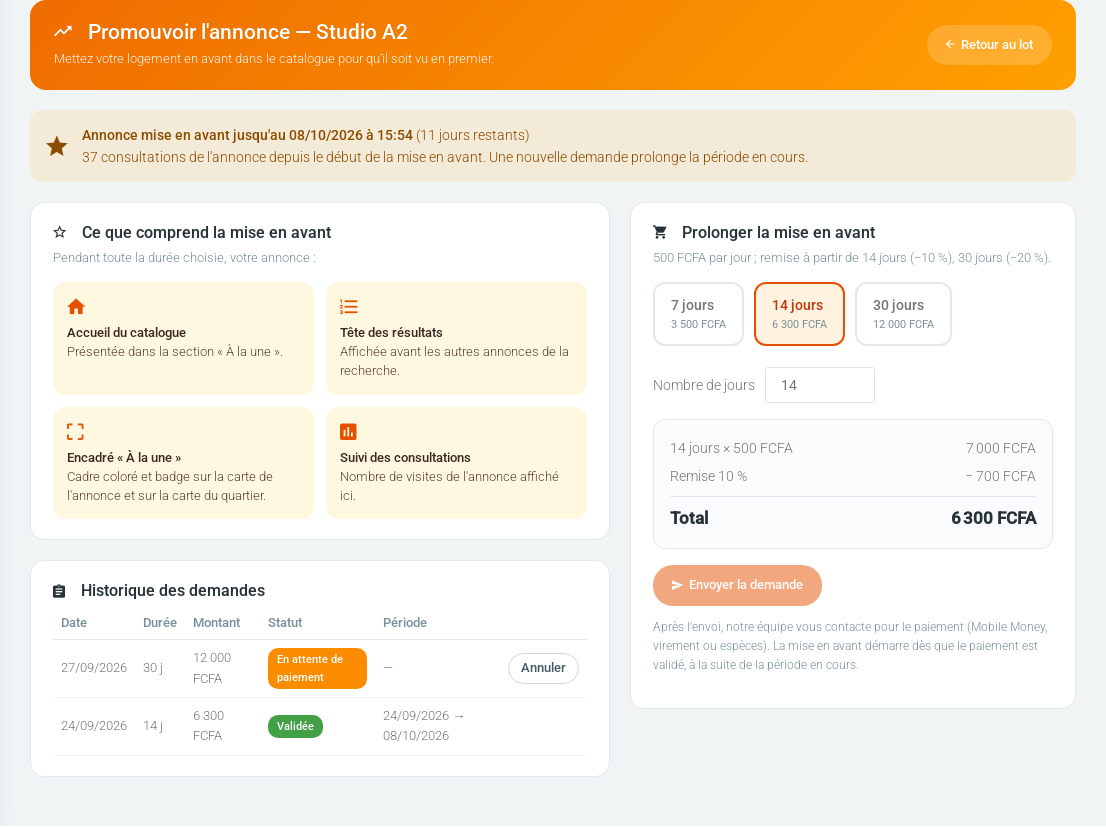
On the unit page, Technical details block, click Promouvoir l'annonce (promote the listing). Choose a suggested duration (7, 14 or 30 days) or type a number of days: the amount, discount included, is calculated instantly. Click Envoyer la demande (send the request).The promotion page: current status, duration and history.Our team contacts you for payment (Mobile Money, bank transfer or cash). The promotion starts as soon as payment is confirmed and stops by itself on the end date. Until it is confirmed, you can cancel your request from the history.
Conditions
The unit must be published in the catalogue.
It must have at least one free place: a full unit is not shown in the catalogue.
Only long-term rentals are concerned.
Only one request can be pending per unit.
Extend and track
During a promotion, the page shows its end date, the days left and the number of listing views (your own visits and those of project members are not counted). A new request extends the period: it starts when the current promotion ends.
Link copied!
Respect de votre vie privée
Nous utilisons des cookies de mesure d'audience et d'assistance (Google Analytics, Highlight) qui ne sont pas nécessaires au fonctionnement du service. Vous pouvez les accepter ou les refuser.