A seasonal unit is rented by the night to successive guests.
No monthly rent, charges or rent-based deposit: you set a nightly rate (and optionally a weekly rate), a cleaning fee and a security deposit.
No one-year lease or guarantor: each guest makes a booking, checked so that it never overlaps another one.
Tracking is done stay by stay, with a booking calendar.
A project can mix long-term and seasonal units.
Setting up a seasonal unit
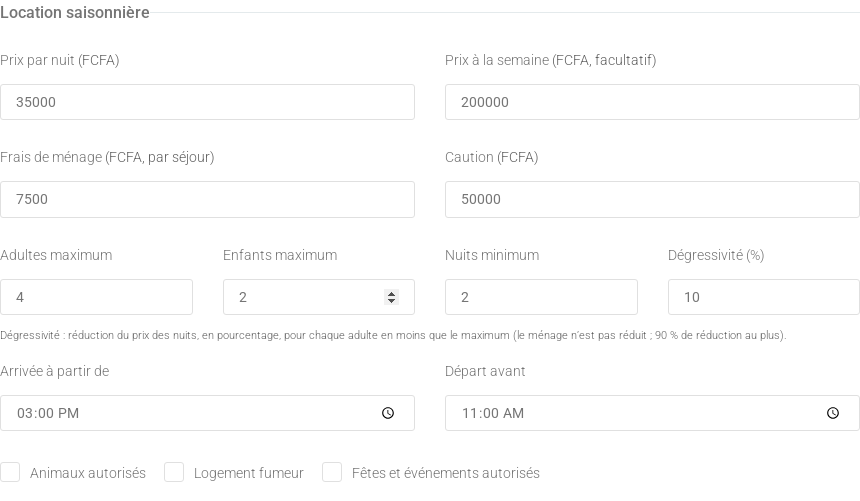
When adding a unit, choose the Seasonal rental type; for an existing unit, open it and click Edit settings. Set the nightly rate (required), weekly rate, cleaning fee, security deposit, maximum adults and children, minimum nights, adult discount, check-in and check-out times and house rules (pets, smoking, parties). The residence currency is shown on every amount.Rates and conditions of a seasonal unit.
Discount by number of adults
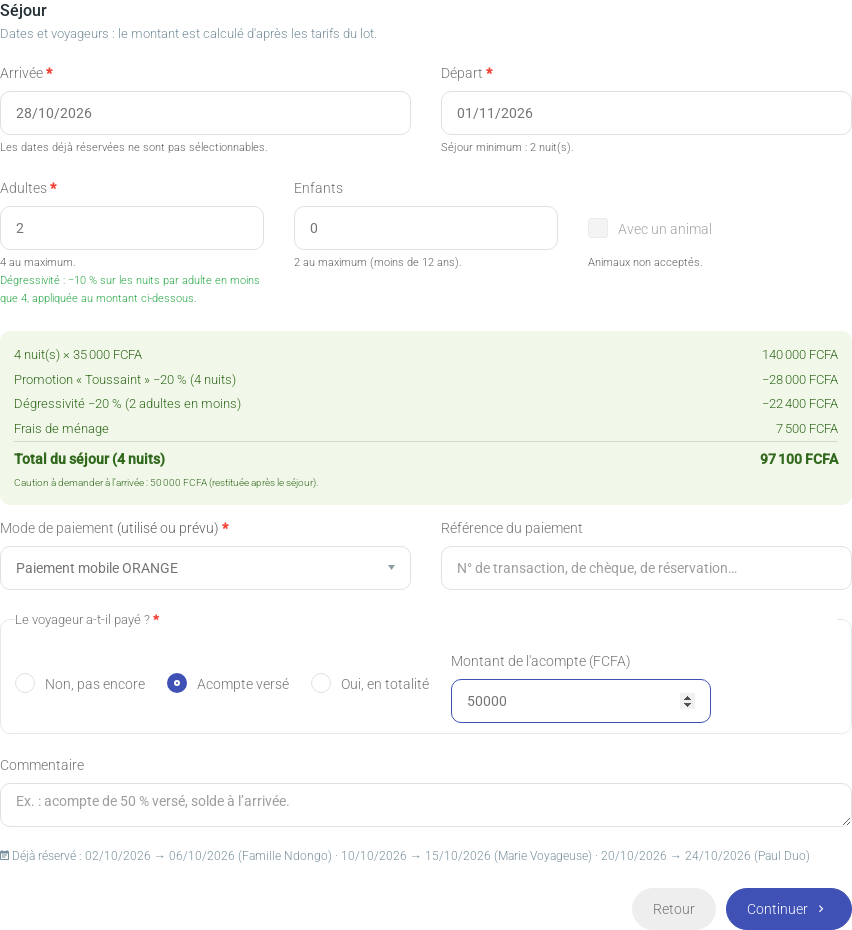
The nightly price is reduced when the unit is booked by fewer adults than the maximum: discount = percentage × missing adults (e.g. 10 %, 4 adults max, 2 adults book: −20 %). The cleaning fee is not discounted, children are not counted, and the total discount is capped at 90 %.
Promotions
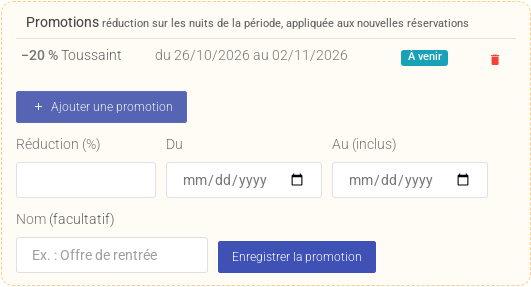
In the unit page, Seasonal section, the Promotions block offers a percentage off (1–90 %) over a period (dates included). Each night in the period is discounted (the highest promotion wins when they overlap). Promotions apply to new bookings; deleting one does not change stays already recorded.Promotions of a unit.
Adding a stay
From the unit page, click Add a tenant then Add a stay. The wizard has four steps: ID document, guest, stay and confirmation. The arrival and departure calendars cross out booked nights; departure must be after arrival, respect the minimum stay and not go beyond the next booking. The quote is computed live (nights or weeks, promotion, discount, cleaning fee, total, deposit reminder). Choose the payment method and say whether the guest has paid: not yet, deposit (amount) or in full.The Stay step.
The stay calendar
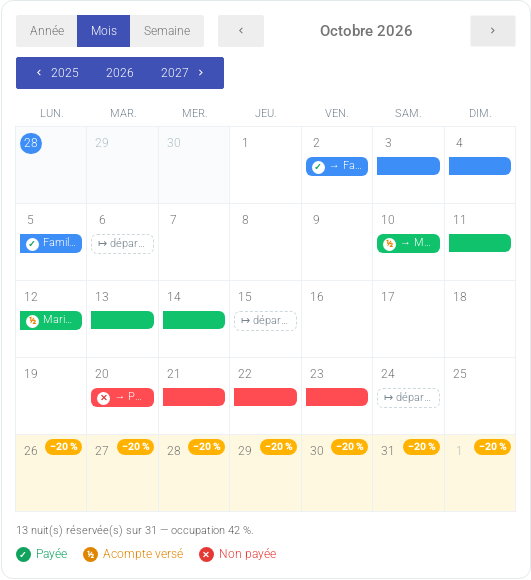
The unit page shows a booking calendar with Year, Month and Week views, sharing the year selector of the performance chart. Each stay is a coloured bar with a payment badge (✓ paid, ½ deposit, ✕ unpaid); promotion days are highlighted. Click a booking to edit it.Month view.
Editing or deleting a booking
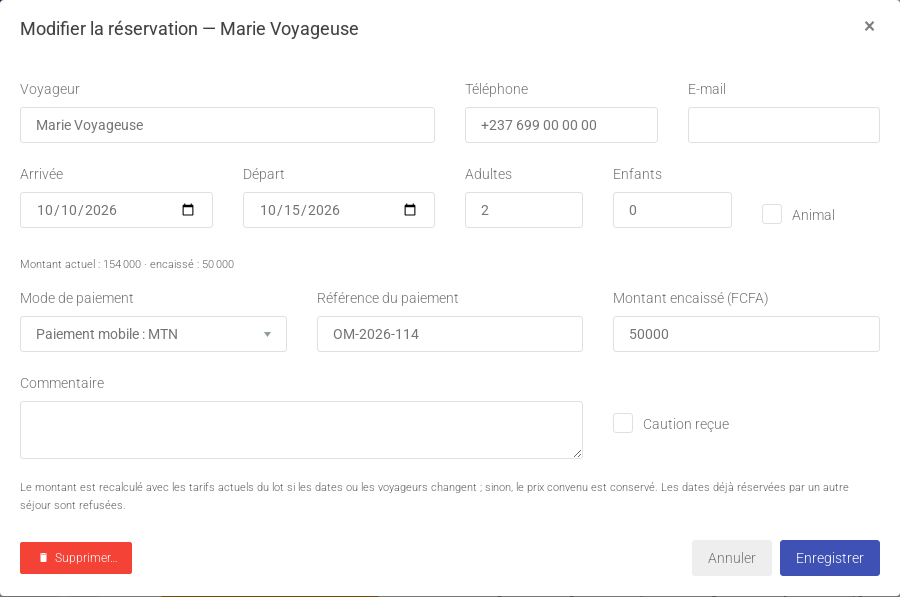
The Edit booking window changes the guest, dates, travellers, payment method, amount received and deposit received. The agreed price is kept unless dates or travellers change (it is then recomputed with current rates). Overlapping dates are refused. Delete… removes the booking from the calendar and statistics.Editing a booking.
Tracking payments and guests
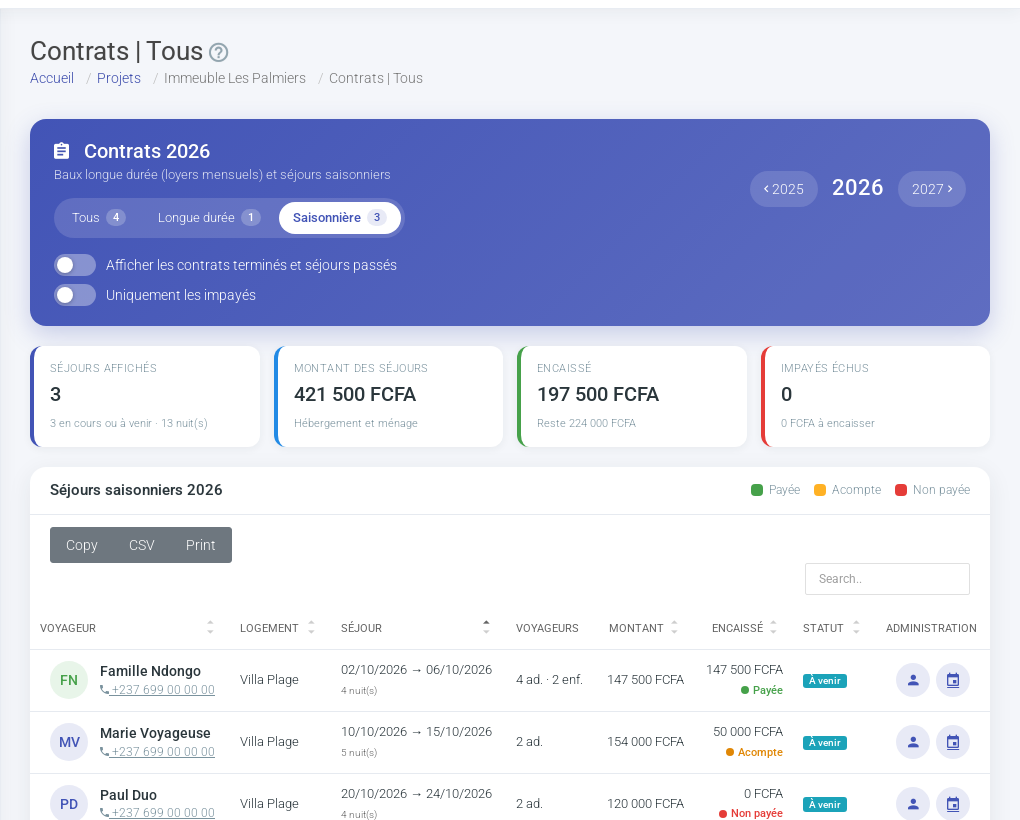
The contracts page and the tenants page offer an All / Long term / Seasonal selector, saved for your account. The guest profile shows the stay and all bookings and leases of the same person (matched by ID number, email or phone).Stays in the contracts page.
Seasonal statistics
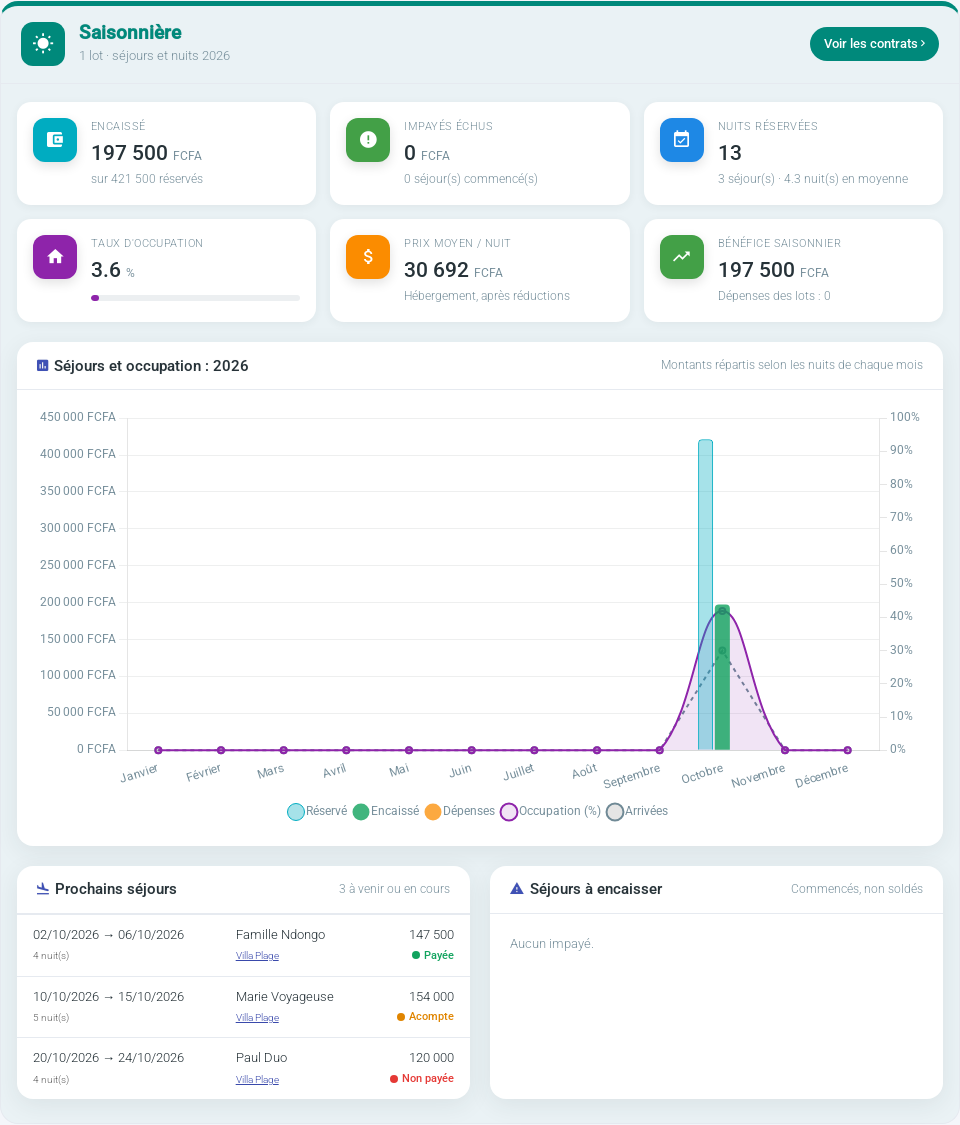
The rental dashboard has a dedicated seasonal area: received and booked amounts, overdue stays, booked nights, occupancy, average nightly price, profit, a monthly chart, upcoming stays and stays to collect.The seasonal area of the dashboard.
Link copied!
Respect de votre vie privée
Nous utilisons des cookies de mesure d'audience, d'assistance et de publicité (Google Analytics, Highlight, Google AdSense) qui ne sont pas nécessaires au fonctionnement du service. Vous pouvez les accepter ou les refuser.